




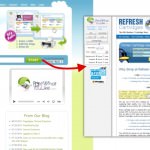
I always feel guilty when I print out a webpage naïvely thinking the information I need will presented on a single piece of paper only to find half a dozen pages of unnecessary borders and background images waiting for me in the printer. Not only does it cost me more in ink and paper but it is far from environmentally friendly.
With this in mind I set off to find a way of easily streamlining my online printing habit, save ink and money.
Internet Explorer
The best option I found for IE was HP Smart Print. Whilst I am disappointed that the add-on requires the installation of the Bing bar the add-one itself is actually really well-rounded and easy to use. One you click the print button Smart Print automatically scans the page you are on and selects the area it thinks you most likely to want to print and it generally does a pretty good job of it. If however you need more information from a page it can easily be added before previewing the finished document.
You can see HP Smart Print in action below…
Firefox
Print-Edit is a delightful add-on for my favourite browser that has lots of options to trim down web pages quickly and easily. There are two main ways of editing your prints you can either select what you want to print and remove everything else or you can simply select the items you wish to remove and them delete them. In addition to these features there are several formatting options like the ability to present the text in plain text, reduce margins of even remove decoration. All changes can of course be previewed before printing just like if you were printing from the browser directly.
Whilst the user interface is pretty intuitive I find Print-Edit can be a little difficult to use simply because it breaks web pages down into unnecessarily small detail. The result being you may find yourself deleting more dynamic content several times before it finally disappears.
You can see the add-on in action in the video below…
Google Chrome
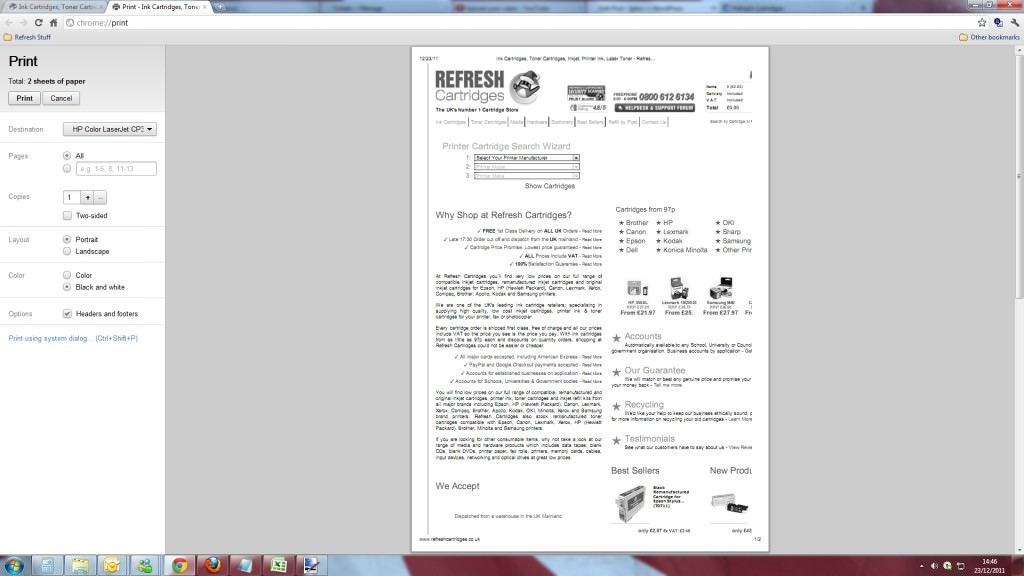
Printing in Chrome is actually pretty ink and paper friendly by default. As it simply doesn’t print background images as standard and allows printing in black and white with a single click. Whilst it doesn’t offer any advanced features it is the most ink friendly browser out of there for those of you who don’t want to be dealing with ad-ons etc. If you don’t have it already you can download Chrome here.
 Online

If however you are using another browser or are looking for a solution that can be used regardless of whose PC you are using I would recommend making a note of PrintWhatYouLike.com. From the site you simply paste/type the URL of the page you are looking to print, click START and you are presented with a highly editable version of the page. You can strip the page down instantly with a single click of “Auto Format” but this leaves you with the text of the page in very small pain text and nothing else. I would recommend using the Page Properties options in the column to the left to remove background images, margins, reduce text size or even change the font. Of course you can still click and delete/isolate whatever part of the page you like.
The website is free to use and is pretty free of obstructions. Ads pop up to the left of the page you have chosen to print and another appears when you finally click print but there is nothing that negatively affects your use of the site.

I hope you have found this article helpful but if you have any to add, please get in touch via any of our social media platforms.

