




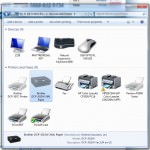
If your computer thinks your printer is offline them something is preventing the two devices communicating. This can be anything from a small conflict with your software or printer drivers to a physical break in the line of communication between the two. Whatever the case it can generally be resolved with a bit of basic troubleshooting.
So how can I make it show as ‘Online’ again?
Before we get into more detailed troubleshooting, I would like to offer the most cliché piece of technology advice known to man… turn it off, then turn it back on again. Try this with both your printer and your computer seeing if the printer is detected after each reset. It is obvious and if you are reading this article you have quite possibly already tried it. However it is repeated in so many situations because it is quick and easy to do and quite often works!
If the printer is still showing as offline, we have produced several guides for solving this common problem and the advice given will vary depending upon your operating system. Please select the relevant operating system for your PC from the list below:


If you are looking for a guide for another operating system that is not featured here then, please get in touch via any of our social media platforms.

