




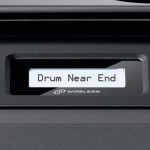
In addition to the toner cartridge your Brother mono laser printer also requires a functioning drum unit to produce top quality prints. The toner cartridge has a built in mechanism that indicates to the printer how many pages it has produced in its lifetime so that the printer can estimate how much life remains. Brother drum units, however, have no means of communicating use to the printer and instead rely upon the printer being told when a drum unit is installed. Once this prompt has been given a counter inside the Brother laser printer is reset and the printer will continue for an estimated 25,000 pages.
If however the prompt has been entered incorrectly (or not at all) the “Drum Near End” message will remain, but can be reset by following the relevant steps in this guide.

Here at Refresh Cartridges we like to remind our customers that these warning are the result of your printer counting pages and calculating page coverage to estimate how much life is left in the drum and are only an estimate. As a result we always advise continuing to use a drum unit despite the “Drum Near End” message until the quality of your printouts begin to suffer and then installing a new drum unit. This way you can ensure you get the very most from your drum unit, saving you money in the long run.
What printers does this reset work for?
The DR3100 drum unit works in such a wide variety of printers that there are three different resets depending upon the model of your Brother Printer. Please select the relevant reset from the list below using your printers model number as a guide:
Brother DCP-8060, DCP-8065DN
- Open the front cover of the printer.
- Remove the drum unit and toner cartridge assembly from the printer.
- Re-insert the drum unit and toner cartridge assembly.
- Press Clear/Back.
- When “Replace Drum? 1. Yes 2. No” appears press 1.
- Once the LCD display states “Accepted”, close the front cover.
Brother HL-5270D, HL-5270DN, HL-5280DW
- Press the front cover release button and open the front cover.
- Hold down Go until “Drum Clear” is displayed on the LCD, then release Go.
- Remove the drum unit and toner cartridge assembly.
- Re-install the toner and drum unit.
- Close the front cover of the printer.
Brother MFC-8460N, MFC-8860DN, MFC-8870DW
- Open the front cover of the printer.
- Hold down the lock lever to the right and remove the drum and toner cartridge assembly.
- Re-install the toner cartridge and drum unit, but DO NOT close the front cover.
- Press Clear/Back.
- When “Replace Drum? 1. Yes 2. No” appears, press 1.
- Once Accepted appears on the LCD display, close the front cover of the printer.
I hope you have found this guide useful. if you have any further questions, please get in touch via any of our social media platforms.

