




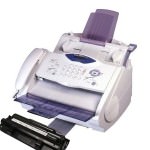
 The “CHANGE DRUM SOON” message will appear once your DR8000 drum unit nears the end of its life. We advise continuing to use your current drum unit until you begin to experience print quality problems before installing a new one.
If the clear plastic “starter sheet” is removed from the replacement drum before installation this message will continue to show . It is this sheet that actually resets the drum counter. If the sheet has already been removed you can reinstall drum with the starter sheet by following the simple steps below:
-Find the starter sheet. It will be a plastic sheet around 9″ long, with the centre cut out. If you are using a Brother original drum it will state”Initialization of your new drum successfully completed. Please discard this sheet” on it but many compatible or remanufactured alternatives will say something similar.
-If you cannot locate the starter sheet, contact the Brother Customer Service or the appropriate Brother authorized dealer.
-Depending upon the model of your printer the next step will vary:
For printers with ADF (Automatic Document Feeder):
Open the cover of the scanner by pulling the lever under the control panel toward you and lifting the cover. Take the drum out of the printer and place the drum on some newspaper or another area that you don’t mind catching superfluous toner.
For printers with the Flat bed:
Open the cover on the front of the printer and take out the drum unit. Place the drum on some newspaper or another area that you don’t mind catching toner that may fall from the drum.
-With the drum unit pointing towards you position the starter sheet in the drum, below the section with a blue label. The flat side of the sheet is the part that goes inside the drum unit. Pull the starter sheet into the drum by using you finger to roll the black and white wheels on the left hand side of the drum unit (underside) in the front. Continue to pull it in this method until the “zig-zag” edge of the starter sheet is level with the “lip” on the drum.
-Install the drum into your printer again.
-With this done re-close the scanner cover/front cover.
The started sheet should then be ejected automatically.
This advice applies to a variety of Brother, s and fax machines including Fax-2850, Fax-8070P, MFC-4800, MFC-9030, MFC-9070, MFC-9160, MFC-9180, MFC-8070 & MFC-8070p.

