




Brother laser printers compatible with the DR2000 require you to indicate to the machine when you replace the drum. So if you are still getting the “CHANGE DRUM SOON” message on the LCD display even after replacing the drum it is likely the correct prompt was not given when it was changed so the internal page counter has not been reset.
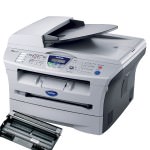 To reset this counter please take the following steps:
-Open the front panel of the printer.
-Press the “Options” button on the printer.
-The message “REPLACE DRUM – 1.YES 2.NO” should now be displayed
-Select yes by pressing 1 to reset the counter.
-Close the front panel again.
The counter should now be reset leaving you to continue printing. If however the “CHANGE DRUM SOON” message is still present please contact whoever the drum was purchased from for further support.
This advice applies to a variety of Brother printer including DCP-7010, DCP-7010L, DCP-7020, DCP-7025, FAX-2820, FAX-2920, HL-2030, HL-2040, HL-2050, HL-2070, HL-2070N, MFC-7225N, MFC-7420, and MFC-7820N.

