




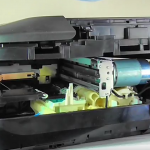
We often see printers with an error code detailing that the waste ink sponge is full, but what is a waste ink sponge and how is it full?
The waste ink sponge also known as the waste ink absorber and is generally located at the rear of your printers.
The main use for the waste ink sponge is to absorb any excess ink flowing through the printer i.e head cleaning etc
When performing a head clean a very small sponge will absorb the ink gathered from the print head. There are generally tubes connecting this smaller sponge to a larger waste ink sponge at the rear of the printer. This larger sponge will eventually fill to a maximum level, at this point the printer may flag an error code or may state the purge counter is full; you may also experience numerous flashing lights all flashing in sync. This flashing can refer to a completely different error so it’s worth checking your user manual as is normally instructed or searching online for further information
To help explain this, I produced a short film showing inside a Canon Pixma MG5650
We hope you have found this brief guide useful, if however you have any other queries or anything to add, please get in touch via any of our social media platforms.

