





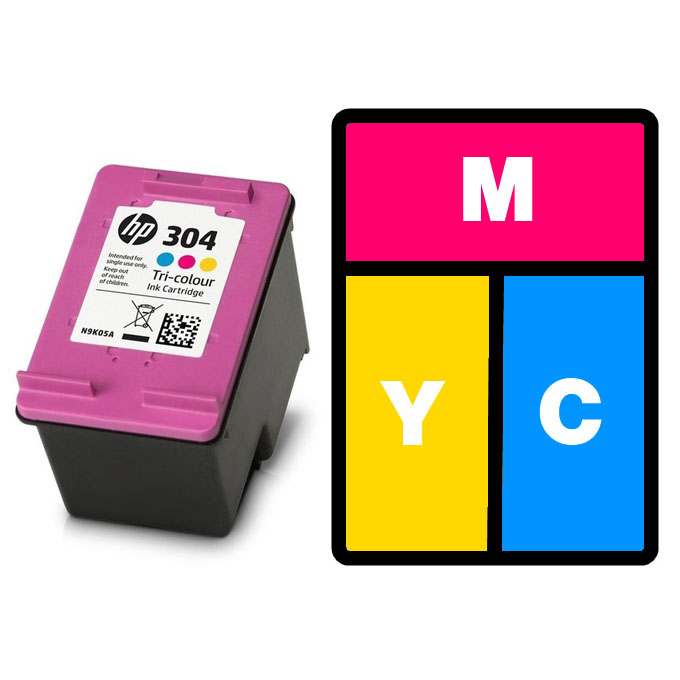
 Refilling the HP 302, HP 304, HP 304XL or HP 62 tri-colour ink cartridge at home is very easy and can offer you great results, with very little equipment. All you need is at least one syringe, plus some universal ink. Simply remove the label, widen the fill holes (if necessary) and fill the relevant chambers of the HP 302, HP 304, HP 304XL or HP 62 ink cartridge with the amount of ink mentioned below.
When refilling the Hewlett Packard ink cartridges below, we recommend injecting the following amount of ink into the respective cyan, magenta and yellow chambers:
HP 302/F6U65AE: 3ml (9ml Total)
HP 304/N9K05AE: 3ml (9ml Total)
HP 304XL/N9K07AE: 4.5ml (13.5ml Total)
HP 62/C2P06AE: 3ml (9ml Total)
Although Hewlett Packard 304 and 304XL cartridges are actually the same size, we recommend sticking to the lower fill level. This is because of the smaller inner sponge and barriers within the cartridge standard capacity HP 304. As such over filling them can result in ink spilling inside your printer.
This guide is intended purely to show where to inject the ink into these cartridges and how much we recommend using. For full refill instructions for these cartridges please click here.
HP 302, HP 304 & HP 62 Tri-Colour Video Refill Guide
“Why no 304XL Tri-Colour Video Refill Guide?”
Sadly I haven’t had an empty HP 304XL ink cartridges thrust in front of me for refilling just yet. I will however endeavour to produce a video as soon as possible. Until then, you can refill your cartridge by following the method above and simply injecting 4.5ml of cyan, magenta and yellow ink instead of the lower fill level mentioned.
Compatability
These HP 302 and HP 62 cartridges are compatible with different printers. For carification the HP 302 range work without issue in the Hewlett Packard Deskjet 1110, 2130, 2132, 2134, 3630, 3632, 3634, 3636, 3638, HP Envy 4511, 4512, 4516, 4520, 4522, 4523, 4524, 4525, 4526, 4527, 4528, HP Officejet 3830, 3831, 3832, 4650, 4652, 4654, 4655, 4656 and 4658 All-in-One inkjet printers.
If you are looking to refill the ever popular HP 304/HP 304XL series of black inks, these cartridges can be used in the HP Deskjet 2620, 2630, 2632, 2633, 2634, 3700, 3720, 3730, 3732, 3733 All-in-One, 3735, HP Envy 5020, 5030 snd 5032 All-in-One inkjet printers.
After refilling either the HP 62 colour cartridges, you can reinstall them into the HP Envy 5540, 5541, 5542, 5544, 5546, 5548, 5640, 5642, 5644, 5646, 7640, HP Officejet 200, 250, 5740, 5742, 5744, 5746 e-All-in-One & Mobile All-in-One inkjet printers by Hewlett Packard.
Any further questions or comments, please get in touch via any of our social media platforms.

