




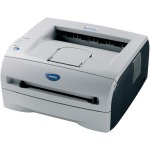
Printers manufactured by Brother that take the DR2005 & DR2000 drum units need to be told by a simple prompt when the drum has been changed. If you have recently changed your drum but still have a blinking LED on the front of the printer the drum counter was either not reset or not reset correctly. To reset the drum counter follow the simple instructions below:
- Open the front door of the printer.

- Press and hold the GO button for approximately four seconds until all the LEDs light up. Once all four LEDs are lit, release the button.

-
Close the front door of the printer.
The counter should now be reset leaving you to continue printing. If however the LED is still flashing please contact whoever the drum was purchased from for further support.
This advice applies to a variety of Brother printers and fax machines including the HL-2030, HL-2030R, HL-2035, HL-2035R, HL-2040, HL-2040R, HL-2070N & HL-2070NR.

