




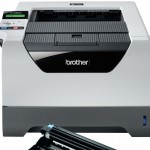
 If you have changed the drum unit in Brother HL-5380DN, but are still getting warnings stating “Drum End Soon” or “Replace Drum” it is likely that the printer was not informed when the drum was changed. Unlike the TN3230 and TN3280 black toner cartridge the DR3200 drum unit requires a simple prompt be entered upon when changing the unit. This prompt resets an internal counter used to estimate wear and tear on a drum by monitoring how many pages have been printed and at what coverage.
If the reset procedure was not followed when changing the drum you can still perform it later on, but please be aware that your printer will “forget” about any prints that have been performed since changing the drum. As such you may find that print quality deteriorates prematurely due to the unaccounted for pages.
Will this reset work for any other printers?
This reset works just for the HL-5380DN. If you are getting similar messages with another Brother printer please check out my other guides on this subject.
How do I reset the drum counter?
The reset procedure for the HL-5380DN is relatively simple and should only take a minute or so. With the printer on and otherwise ready to print, please take the steps described below:
- Press down the cover release button and open the front cover of the printer.
- Remove the drum unit and toner cartridges assembly.
- Re-install the drum unit and toner cartridge, but leave the front cover open.
- Hold the Go button until DRUM CLEAR can be seen on the LCD display.
- Close the front cover.
Any messages warning of issues with the drum should now have disappeared. If however the “Drum End Soon” or “Replace Drum” message remains I would recommend carefully running through this reset again.
If you have anything to add or have any other questions, please get in touch via any of our social media platforms.

