
» Express Re-Order  |   Account LoginAbout Us  |  Contact  |  Delivery  |  Blog  |  Helpdesk & Support Suite

Cart Empty
Items
(£)
Delivery
Included
Total
£

Independent Customer Reviews 4.9 / 5 based on over 15673 Customer Reviews

Providing Quality Cartridges Since 1999


«

»

2022-05-17T12:59:20+00:00

Refilling Dell T0529 Black Ink Cartridges

Refilling Dell T0529 Black Ink Cartridges

Refilling the Dell T0529 black ink cartridge at home is very easy and can offer you great results, with very little equipment. All you need is one syringe, plus some universal . Simply remove the label, widen the fill holes (if necessary) and fill the relevant chambers of the Dell T0529 ink cartridge with the amount of ink mentioned below.

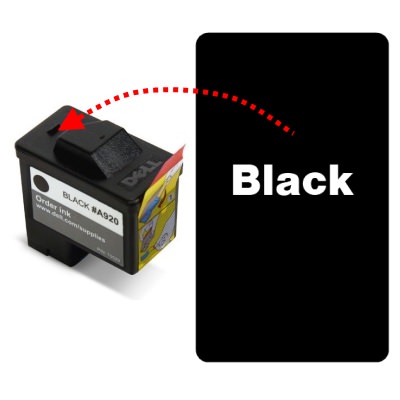
For these cartridges, we recommend injecting the following amount of black ink into the hole closest to the printhead:

T0529/592-10039: 20ml

As these cartridges do not have any air holes to fill from directly, I would recommend carefully drilling your own with a thin drill bit.

This guide is intended purely to show where to inject the ink into these cartridges and how much we recommend using. For full refill instructions for these cartridges, please click here.

These cartridges are compatible with a variety of Dell printers, including:

-Dell 720
-Dell All In One A920


About the author

I have been involved in the printer industry since I was 18 and have been an employee of Refresh Cartridges since early 2009. I am a dedicated family man, gamer, music fan and friend to all. I write the majority of the content here on Igloo and am responsible for its upkeep.

Refresh Cartridges

 
Return to the top


Copyright © 1999-2026 Refresh eCommerce Ltd, Company Registered in Cardiff Reg 3747805, VAT GB 819 3265 18
Address: Refresh eCommerce Ltd, Unit 3, Longpark, 163 Newton Road, Torquay, Devon, TQ2 7AL
Phone: 01803 449 339   Fax: 01803 500056
Email:
Follow us on

X  Facebook  Youtube  Instagram  TikTok