




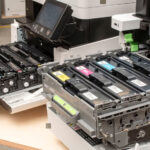
In my last post, I covered the most commonly asked ink cartridge questions, but what about their powder filled cousins for laser printers? Although many of the questions are the same, toner cartridges are functionally very different, and the topic is very much worth visiting.

1. Why are toner cartridges so expensive?
The high cost of toner cartridges can be a real head-scratcher. There are a couple of key factors at play. Firstly, similar to ink cartridges, toner manufacturers often employ a “razor and blade” model. Printers themselves are sold at a low profit margin, knowing they’ll make their money back through toner sales.
Secondly, toner development involves complex engineering. Manufacturers tout the research and development that goes into creating toner that delivers crisp prints, resists fading, and works flawlessly with their printers. There’s some truth to this, but critics argue the high price isn’t always justified by the amount of toner itself.
2. Can toner cartridges be refilled?
Yes, toner cartridges can be refilled, but with some considerations. Unlike some ink cartridges, refilling toner cartridges can be trickier. Most will need new chips for the printer to accept them, and improper refilling can flood your printer with powder. To refill safely, ensure your cartridge model is compatible and choose reputable refill kits or services.
With how hard toner powder is to handle, the risk of spillage and the overall size of the cartridges can make refilling these troublesome. In most cases we would recommend professionally refilled remanufactured toner cartridges instead.
3. How long do toner cartridges typically last?
The lifespan of a toner cartridge depends on a few factors, but you can certainly expect more pages from it than more traditional ink cartridges. Generally, a standard toner cartridge will offer a minimum of a thousand prints with a coverage of 5%, but many have incredible yield that offer tens of thousands. It all depends upon the model of your printer.
We ensure that all the toner cartridges we sell offer estimated page yields on our site, so you know roughly what to expect. If you are curious, feel free to enter your printer model into the search bar on our store.
4. What happens if I leave a toner cartridge unused for a long time?
Leaving a toner cartridge unused for a long time generally won’t cause major problems like ink cartridges. Toner powder itself is less prone to drying out compared to ink. However, there are still some potential issues to consider.
Over time, toner powder can settle and clump inside the cartridge. This can lead to uneven printing or faint lines when you finally use it. To minimize this risk, store toner cartridges upright in a cool, dry place. Shaking the cartridge gently before use can also help redistribute the toner powder.
5. Is there a way to recycle old toner cartridges?
Absolutely! Disposing of toner cartridges responsibly is an eco-friendly option. Many electronics and office supply stores have collection boxes specifically for used toner cartridges. Check with your local store to see if they accept them and inquire about any specific preparation guidelines they might have.
Another option is to look into your printer manufacturer’s recycling program. Some manufacturers offer take-back programs where you can return your empty cartridges directly to them, often with pre-paid shipping labels for your convenience. You might even find that certain charities accept used toner cartridges and raise funds through responsible recycling initiatives.
6. How can I make my toner cartridges last longer?
Stretching the life of your toner cartridges is achievable with a few simple tricks. Employing “draft mode” when printing non-critical documents is a great strategy. This mode uses less toner powder, though print quality might be slightly lower. Alternatively, check our site to see if there is a high capacity cartridge available for your printer. This will reduce the cost per page of your prints noticeably and means they need changing less frequently.
Additionally, consider using double-sided printing. This cuts your paper usage in half immediately, saving you even more money. Remember, a little planning and these adjustments can significantly extend the lifespan of your toner cartridges.
7. Which type of toner cartridge is best: compatible, remanufactured, or high-yield?
For most people, compatible and remanufactured cartridges are a great choice for your printer. As long as you buy your toners from a reputable source, the results should be comparable to the genuine ones and look great. If you NEED the very best possible results from your prints, you may want to stick to your printer manufacturers own brand, but can still save money by looking into high capacity toner cartridges for your printer.
If they are available for your printer, high-yield cartridges offer a better value and should almost always be what you go for. The cartridges hold more toner, so you’ll need to replace them less often. While the initial cost is higher, the cost per page is typically lower, saving you money in the long run.
8. Do I void my printer warranty if I use non-brand toner cartridges?
In most cases, using non-brand toner cartridges won’t void your printer warranty. Laws in the UK and many other countries protect consumers’ right to use compatible consumables. However, the manufacturer can deny warranty coverage if they can prove the non-brand toner cartridge directly caused the printer malfunction. This is incredibly unlikely though, especially if you purchase your toner cartridges from sources like us, that closely monitor the performance of their products.
9. How can I tell what kind of toner cartridge my printer needs?
First, locate the model number of your laser printer, usually printed on the back or underside of the machine. Armed with this number, you can head online and search for compatible toner cartridges (preferably here). Most printer manufacturers also have their user manuals readily available online. Simply find your model number, and it should provide a clear list of compatible toner cartridges.
Alternatively, if you still have an old toner cartridge in your printer, remove it and look for the model number printed directly on it. This number is your key to finding the exact replacement cartridge you need.
10. What should I do if my printer says a toner cartridge is empty, but it seems to have toner left?
I have never used a laser printer that look within a cartridge to see if it physically contains toner. Instead, laser printers use a process of calculating estimated toner levels, based on how many pages have been printer and at what coverage. Some HP laser printers even remember how the first 20% of the cartridge has been used and use this to estimate the life of the rest, regardless of page coverage.
As such, you will almost certainly either have a little toner left when your printer rejects it, or see print quality degrade prematurely. A few toner cartridges can be physically reset and fewer still have overrides on the printer, that allow you to continue using the cartridge regardless. If you search your printer model number or toner reference on our blog, we may have a solution for you. If not, then sadly the only alternative it to just replace the toner.
We hope this has helped, but please let us know any further questions by email or on Facebook.

