




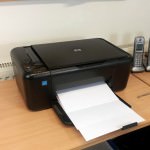
A common problem for users of inkjet printers is blank pieces of paper being spat out by a printer when coming to print important documents. Contrary to what you may think, this is most often the result of ink not being able to flow from a printhead of the cartridge/printer and not an electronic or mechanical fault from the printer itself. In some cases you may find that it is just a handful of colours that are missing or even just stripes or lines in your prints.

Thankfully resolving such an issue is pretty easy and can be done by following a few simple cleaning procedures from the safety of your desk. This advice will vary slightly depending upon whether your printer takes individual cartridges for each colour or a black and tricolour cartridge.
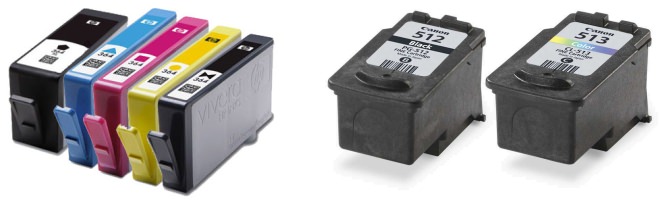
Black & Tri-Colour Cartridges
Cartridges that contain a printhead look very different to individual colour cartridges and are usually broken down into black and tri-colour cartridges. You can normally identify them by the copper looking strip with a series of gold contacts on the front of the cartridge or the printhead which protrudes from the body of the cartridge (as pictured below).
 This design means the printhead is easily accessible should any cleaning be necessary as all of the technology needed to put ink to paper can be found between these two arrows. First of all we advise running a cleaning cycle from your printer as this is likely so resolve the issue or at least improve the print quality of the cartridge. If this fails to help then it is time for us to physically clean the printhead by following the steps below:
- Fold a piece of kitchen tissue (or any other non fibrous tissue) a couple of times and dab it under a tap to create a small damp patch. For best results make sure the water is warm.

- Take the cartridge out of the printer and hold the damp patch over the printhead for 30-60 seconds.

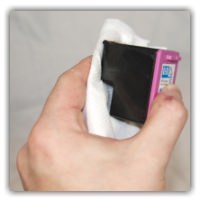
- You should now hopefully have a small ink soaked patch on the tissue with traces of all the relevant colours.
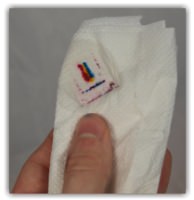
- Then wipe the printhead several times on the dry part of the tissue and you should start to see the colours come through.
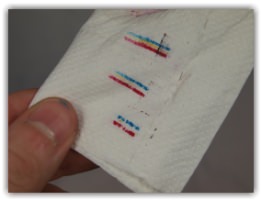
- Reinstall and run one more head cleaning cycle.
With any luck you should now see your prints coming out as expected or at least noticeably improved. If any inconsistencies remain then please perform 2-3 more cleans leaving around 20 minutes between prints to avoid overheating the printhead. If this fails to help the cartridge has either dried to the point where it can no longer function, defective or empty. Whatever the case I would recommend trying another cartridge.
Individual Cartridges
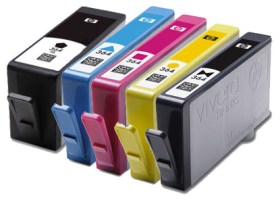 Printers that take four or more individual cartridges tend to have the printhead built into the printer rather than making it part of the cartridges. This results in ink cartridges with a very simple design that are unlikely to develop faults or dry out. However the printhead being attached to the printer means you cannot physically clean the printhead should an issue occur.
Thankfully these printers almost always have a head-cleaning cycles or nozzle-cleaning cycles built into the printer. Running a cleaning cycle from your printer/printers software is likely to resolve the issue immediately and is a good first step. If however the problem remains after the initial clean them please perform 2-3 more leaving around 20 minutes between each clean to avoid overheating the printhead.
If however your prints are still not coming out correctly, it is likely that the issue lies with the cartridges associated with the colours affected. In such an instance I would recommend replacing the cartridge/cartridges. Should the problem remain it is likely the printhead is irreversibly dried/blocked or has ceased to function mechanically and you should contact the manufacturer of your printer.
I hope you have found this guide useful. If however you have something to add or have any further questions, please get in touch via any of our social media platforms.

