




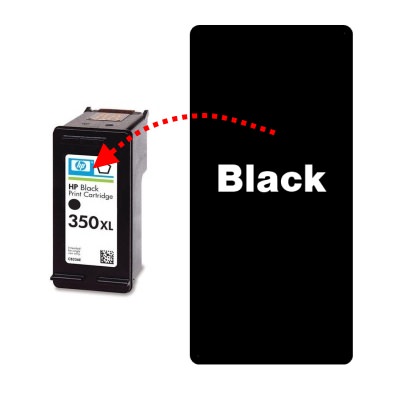
Refilling the HP 339 or 350XL black ink cartridge at home is very easy and can offer you great results, with very little equipment. All you need is one , plus some universal . Simply remove the label, widen the fill holes (if necessary) and fill the relevant chambers of the HP 339 or 350XL ink cartridge with the amount of ink mentioned below.
For these cartridges, we recommend injecting the following amount of black ink into the hole closest to the printhead:
HP 339/C8767EE: 25ml
HP 350XL/CB336EE: 25ml
This guide is intended purely to show where to inject the ink into these cartridges and how much we recommend using. For full refill instructions for these cartridges, please click here.
HP 339 & 350XL Refill Video Guide
Compatibility
These cartridges fit a variety of Hewlett Packard printers including the HP Deskjet D4200, D4260, D4263, D4360, Officejet J5730, J5780, J6410, J6413, J6415, J6450, J6480, Photosmart C4205, C4210, C4240, C4250, C4270, C4272, C4275, C4280, C4283, C4285, C4340, C4343, C4345, C4348, C4380, C4385, C4400, C4440, C4450, C4472, C4480, C4483, C4485, C4500, C4580, C4583, C4585, C4599, C5200, C5240, C5250, C5280, C5283, C5288, C5580, D5360, D5363 and D5368.
If you have any further questions, please get in touch via any of our social media platforms.

