




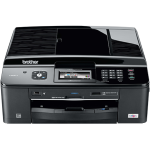
The Brother MFC-J825DW is a feature rich inkjet printer that won’t break the bank but won’t necessarily delivery the quality of prints you would expect from such a machine.

Features
The feature set for this printer is more than slightly impressive and includes the following:
- Networkable (Wireless and Ethernet)
- CD/DVD Printer
- Duplex Printing
- Automatic Document Feeder
- AirPrintTM and Google Cloud PrintTM compatible
- Fax Machine
- Pictbridge Compatible
- Media Card Center
Design
Brother printers have a tendency to be very similar in design and I have seen so many I struggle to tell them apart without checking the badges. The MFC-J825DW is no exception.
The printer is black in colour and has a low profile design with the scanner and document feeder on top. It has a series of large buttons and also has a sizeable LCD screen which make using the printer independently of your PC/Mac with ease.
Another brother staple is the laser printer style paper tray which takes upto 100 sheets of paper and 20 sheets of photo paper at the same time. It is however worth noting that to switch between A4 and 6″x4″ you have to adjust the tray manually which is not ideal. It is however worth noting that this design limits the thickness of the paper that can be used to a maximum of 220gsm so those who like to use thicker paper for photos etc may be dissapointed.
However the low profile design coupled with the paper tray means the Brother MFC-J825DW takes up less room than other printers on the market.

Setup
Setting up the MFC-J825DW is refreshingly stress free affair. The software provided takes you through the installation every step of the way regardless of if you decide to physically attach it to your network or utilise its wireless functionality. Using this software also helps those unfamilar with Brother printers to avoid the eccentricities of the machine such as the USB and ethernet port being tucked away under the scanner unit. The cartridge are installed behind a small door on the right hand side of the printer which makes changing them equally simple.
As the printer is also AirPrintTM and Google Cloud PrintTM compatible you can print directly from your IOS (iPhone, iPad etc) or Andriod device using the iPrint&Scan app.
Printing & Scaning
The speed of printing is respectable at a maximum speed of 35 pages per minute in black and white but is a little less for colour printing.
While the print quality of text is more than acceptable and the image quality is great for a casual user, the photographers among us may find the quality lacking. The Brother MFC-J825DW has a maximum print resolution of 6000 x 1200 dpi and the colours are not as vibrant as those found on 5+ colour printer like those produced by Canon and Epson. If you are concerned that the print quality may not be up to scratch for your needs you can order yourself a sample print from here.
The scan quality is excellent with a maximum resolution of 1200 x 2400 dpi and also very fast with an average copy speed of under 20 seconds. The automatic document feeder can hold a maximum of 20 sheets of paper and makes copying documents much quicker. It is however worth noting that although the printer can print in duplex it cannot scan duplex as well so copying double sided documents will take a little longer.
Cartridge/Running Cost
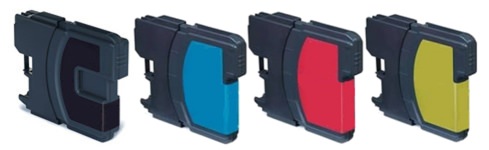
The LC1240 and LC1220 inks compatible with this printer are pretty sizable offering up to 600 pages from a Brother original cartridge. However if you were to decide to use compatible cartridge in the printer the numbers really start to make sense. For example the LC1280 cross compatible cartridges we stock offer up to 2,400 pages from the black cartridge and 1,200 from each colour cartridge for as little as £2.37. This means the ink cost per page when using compatibles comes in at under £0.01p.
Our Verdict
The Brother MFC-J825DW offers a ton of features for the money and can deal with pretty much any printing job you can throw at it. I can’t help but feel a printer this feature rich should be able to produce higher quality prints and be able to deal with thicker specialist papers so draw in photographers and designers. It is however thoroughly recommendable to any home/small office user that needs a versatile and reliable machine.
As Brothers first printer to include a disc printer it seems their inkjet range is taking further steps towards becoming recommendable in any situation. In the meantime this reviewer is waiting for the day when I can tell you about 6 colour Brother inkjet printer with print quality to match Epson/Canon photo printers.

